

AI customer service agents help support teams resolve customer requests across chat, email, voice, and messaging. They understand intent, retrieve account or order context, answer questions, complete approved tasks, and hand off complex cases to human agents with the conversation history attached.
The strongest platform choice depends on the support stack, channel mix, workflow complexity, and level of autonomy a team wants. Some platforms work best as standalone customer experience agents, some are strongest inside an existing help desk, and others focus on broad automation across many channels and languages.
This guide compares five AI customer service agent platforms by resolution approach, channels, integrations, customization, and review controls. After choosing a platform, teams can use Braintrust as a separate evaluation layer to test agent accuracy, escalation behavior, and regressions before customer-facing changes reach production.
What an AI customer service agent does
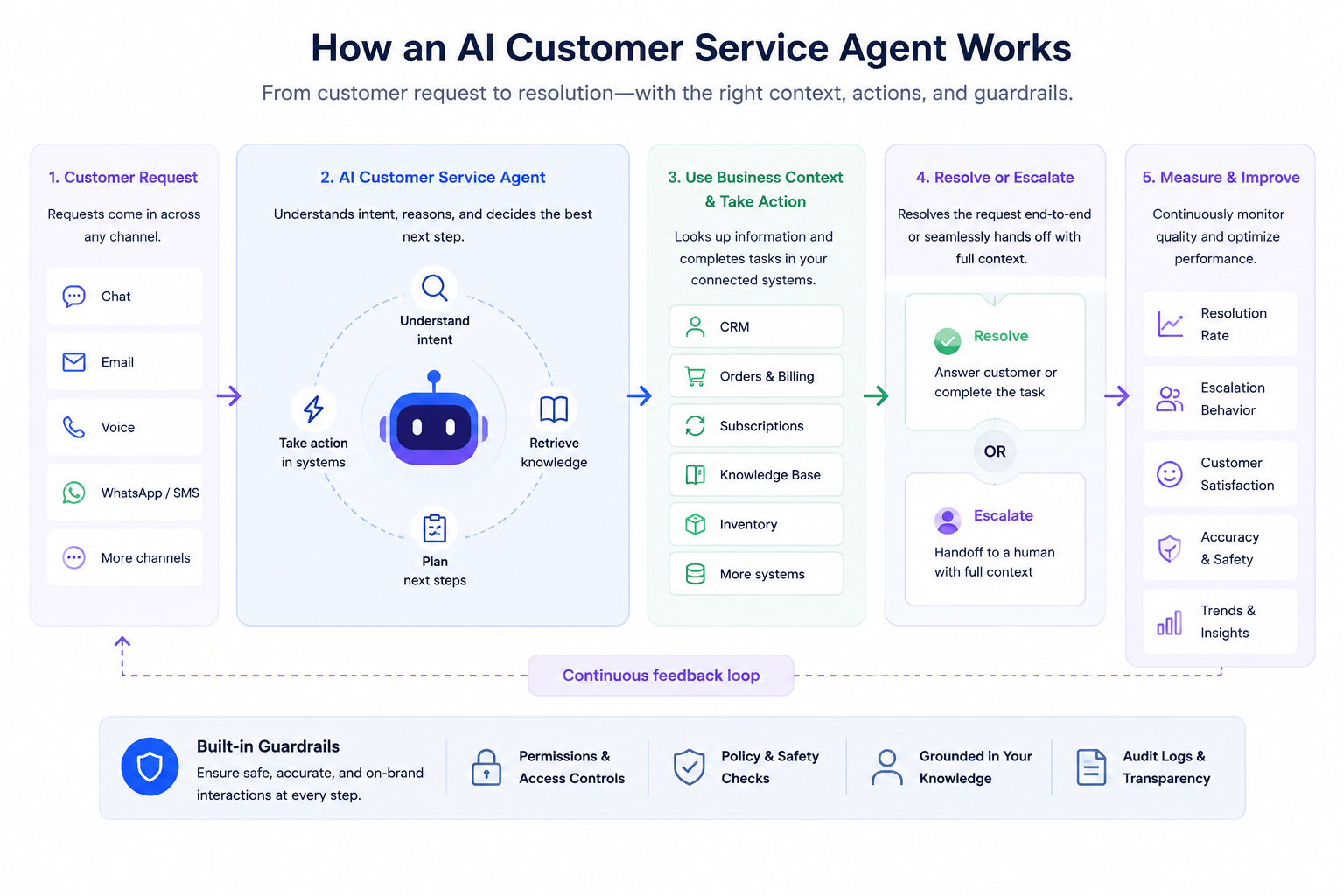
An AI customer service agent connects customer channels, business systems, resolution paths, escalation, and quality monitoring.
An AI customer service agent is a customer-facing support system that understands a request, checks business data, follows approved service rules, and either resolves the issue or prepares a human handoff. In a late-order case, the agent may check shipment status, compare the case against delivery and refund policies, confirm eligibility for a replacement, and respond through the same channel the customer used.
| Operating role | What the agent handles | What support teams need to define |
|---|---|---|
| Request understanding | Identifies intent, urgency, customer sentiment, and required context | Which intents the agent can handle and which inputs require human review |
| Context retrieval | Pulls order, account, billing, subscription, or policy data from connected systems | Which systems the agent can access and what data it can use |
| Approved action | Completes defined tasks such as refunds, returns, subscription updates, account changes, or ticket routing | Which actions are allowed, restricted, or blocked by policy |
| Escalation | Sends sensitive, ambiguous, or high-risk cases to a human agent with conversation history attached | When the agent must stop resolving and transfer ownership |
| Quality monitoring | Tracks resolution rate, escalation accuracy, customer satisfaction, and policy adherence | How agent behavior is reviewed before launch and after production changes |
AI customer service agent platforms usually fall into three groups. Standalone autonomous agents, such as Sierra and Decagon, sit above the existing support stack and run branded, action-taking workflows. Help-desk-native agents, such as Intercom Fin and Zendesk AI agents, work inside an existing support system and are often faster to deploy for teams already using the help desk. Broad CX automation platforms, such as Ada, focus on multi-channel and multilingual support within a single agent layer.
The five AI customer service agent platforms (2026)
Sierra
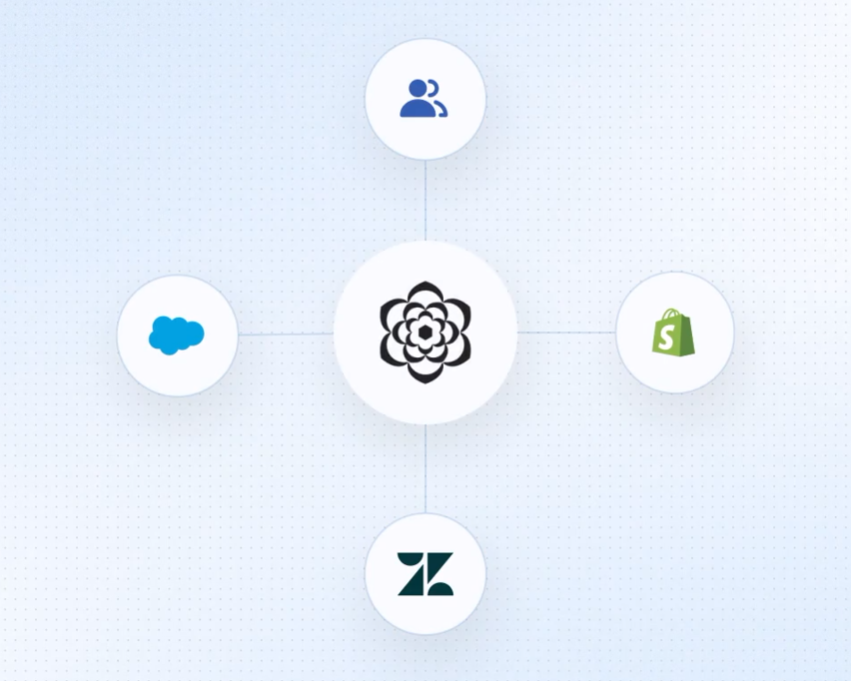
What it is: Sierra is a standalone platform for building branded customer-experience agents that hold conversations and take action within connected systems.
Approach: It sits above a company's existing tools and connects to CRM, order management, data warehouses, and other business systems through APIs. The agent can understand a request, retrieve the required context, and complete approved tasks across chat, email, voice, SMS, WhatsApp, and other channels in many languages.
Known for: Sierra focuses on branded agents that support customer service, sales, retention, and other customer lifecycle workflows. It also includes testing, monitoring, and analytics for reviewing agent behavior, completed actions, and performance patterns.
Commonly used for: Brands that want one customer-facing agent to resolve issues, follow service rules, and reflect the company's communication style across multiple channels.
Worth noting: Sierra is oriented toward enterprise deployments with outcome-based pricing, so there is no self-serve signup or free trial. It fits teams with the budget, implementation support, and rollout process required for a managed deployment.
Decagon
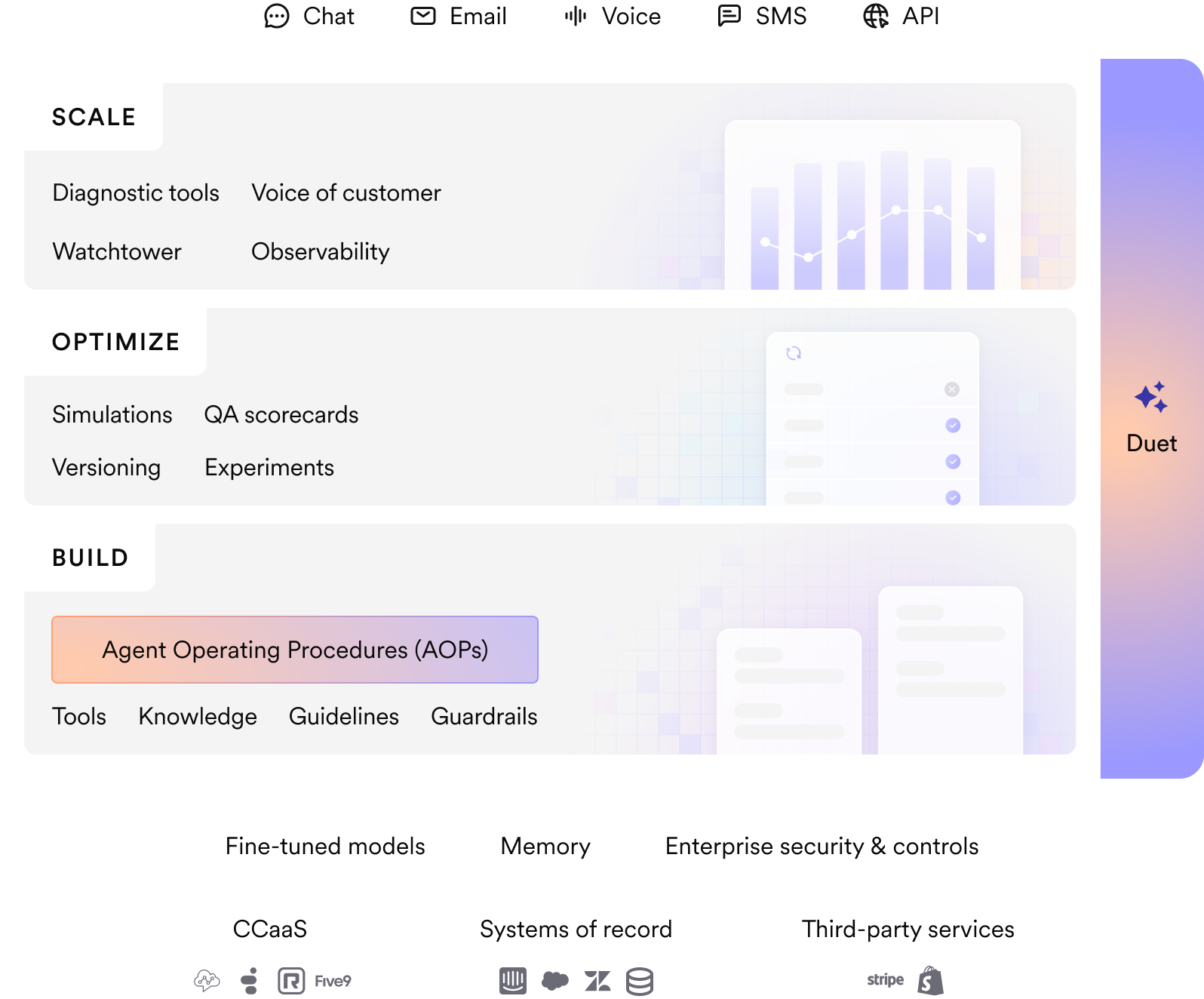
What it is: Decagon builds AI support agents for teams that want autonomous resolution, workflow control, and performance analytics.
Approach: It runs chat, email, voice, and SMS under one intelligence layer with cross-channel memory, so a conversation can move between channels without losing context. Non-technical teams can define support workflows in plain language through Agent Operating Procedures.
Known for: Decagon focuses on resolution measurement, quality monitoring, analytics, and pre-launch testing. Watchtower monitors agent performance, while simulations and A/B tests help teams evaluate behavior before changes go live.
Commonly used for: High-volume support organizations that want autonomous resolution with detailed reporting on agent performance, escalation behavior, and workflow outcomes.
Worth noting: Decagon is aimed at larger teams and runs on a managed-service model, in which Decagon's team handles much of the ongoing tuning. There is no self-serve trial, so evaluation goes through a sales process.
Intercom Fin
What it is: Fin is Intercom's AI agent for resolving customer questions, especially inside the Intercom help desk.
Approach: It resolves questions across chat, email, voice, and social channels, follows multi-step procedures, completes defined tasks, and hands off to a person with full context when needed. Fin runs most natively inside Intercom and also supports Salesforce, Zendesk, Freshdesk, HubSpot, and standalone deployments.
Known for: Fin uses outcome-based pricing, where teams pay per resolved conversation. Its reporting shows resolution rate, involvement rate, and customer experience score, giving support teams a direct view of how much work the agent handles.
Commonly used for: Teams already on Intercom that want a faster AI agent setup using existing help content, customer records, and inbox workflows.
Worth noting: Fin deploys fastest inside Intercom, though it is no longer limited to Intercom.
Ada
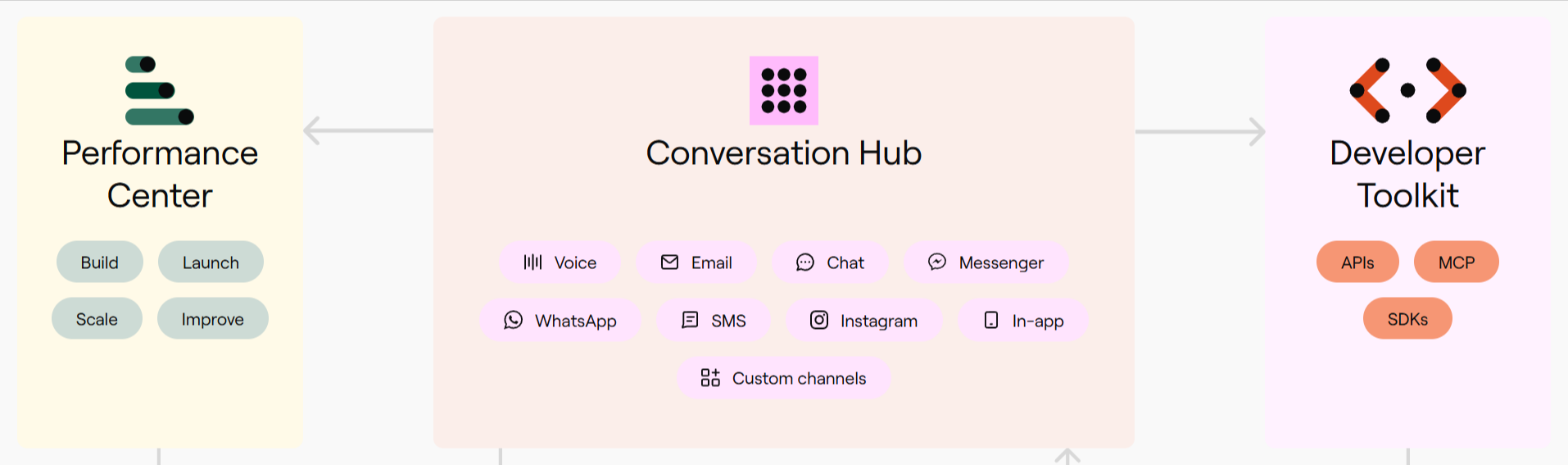
What it is: Ada is a customer experience automation platform that resolves conversations across many channels and languages from one agent layer.
Approach: Ada works on top of an existing help desk and connects to the tools a support team already uses. Its Reasoning Engine coordinates multiple large language models to decide and act across voice, chat, email, messaging apps, SMS, Instagram, and in-app support in more than 50 languages.
Known for: Ada is known for broad channel and language coverage, along with a Performance Center that includes Playbooks for multi-step workflows, Coaching for behavior refinement, and Simulations for testing changes before release. It connects to Zendesk, Salesforce, and more than ten other help desk and contact center systems.
Commonly used for: Global, multi-channel support teams that want one agent layer for customer conversations across regions, languages, and service channels.
Worth noting: Ada supports broad deployments, but teams should expect configuration, tuning, and content work before the agent performs reliably. Pricing is custom and handled through sales.
Zendesk AI agents
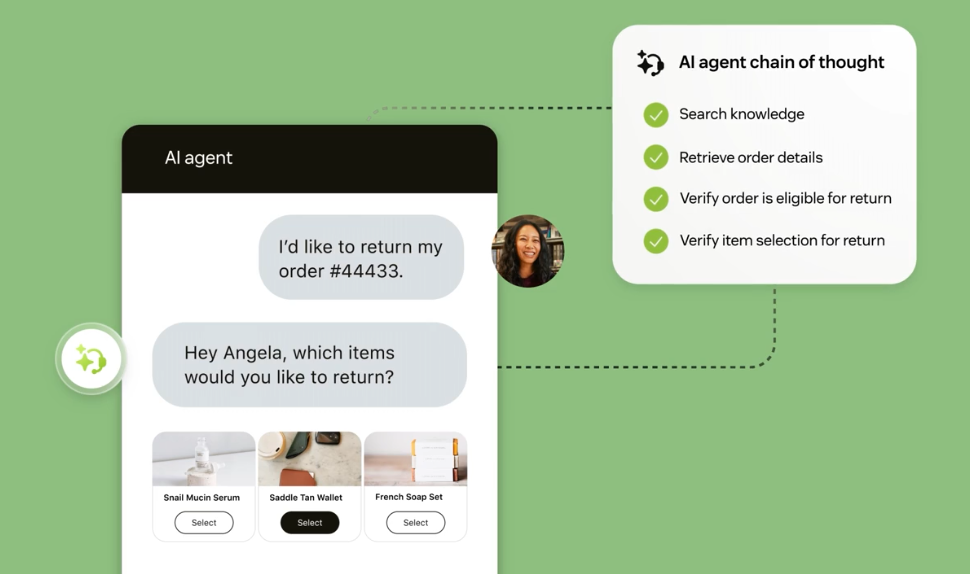
What it is: Zendesk AI agents are the AI resolution capability built into Zendesk's help desk and Resolution Platform.
Approach: They respond to and act on requests across messaging, email, and voice using a team's existing knowledge, connected systems, instructions, procedures, and actions. Resolutions feed back into Zendesk's support workflows, so agent activity stays inside the same system as human support work.
Known for: Zendesk AI agents integrate natively into Zendesk, with billing tied to automated resolutions verified by a model. Zendesk also includes quality assurance features that score interactions and flag cases that need human review.
Commonly used for: Teams already on Zendesk that want to deflect routine support volume while keeping customer conversations, agent workflows, QA, and reporting in one support system.
Worth noting: Zendesk AI agents are a natural fit for existing Zendesk customers. Voice agents are in early access, so teams with heavy call volume should test voice performance against real support conversations before relying on it.
Honorable mention: Forethought
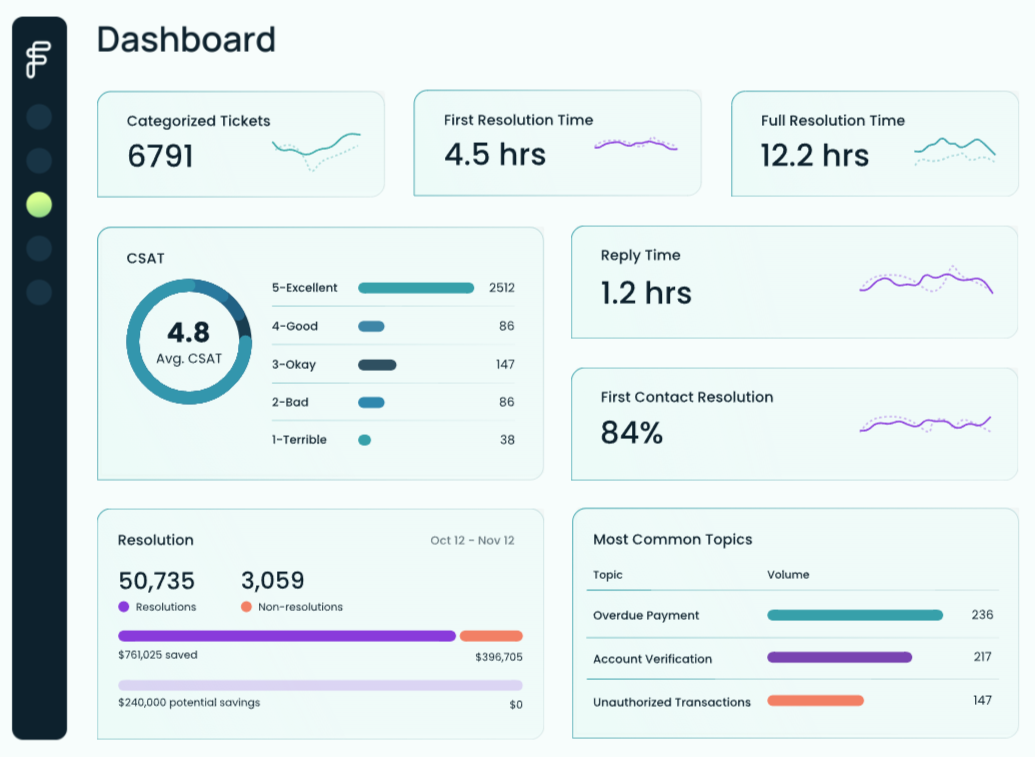
Forethought is worth including for teams focused on ticket triage and agent assist. It classifies incoming requests, routes tickets to the appropriate queue, and helps human agents resolve cases faster by providing suggested answers and contextual support. It fits best when the goal is to make human agents faster on triage and assisted responses, and it stops short of running an autonomous resolution workflow on its own.
Feature comparison: AI customer service agent platforms (2026)
| Dimension | Sierra | Decagon | Intercom Fin | Ada | Zendesk AI agents |
|---|---|---|---|---|---|
| Resolution approach | Standalone branded customer experience agent for conversations and actions in connected systems | Autonomous support agent focused on resolution across one shared intelligence layer | AI customer service agent that answers, triages, takes actions, and hands off inside Intercom or external help desks | CX automation layer with a unified Reasoning Engine for agent behavior across channels and languages | Zendesk-native AI agents for automated resolutions inside Zendesk support workflows |
| Channels | Chat, email, voice, SMS, WhatsApp, Apple Business Chat | Chat, email, voice, SMS, and custom surfaces | Live chat, email, phone, SMS, WhatsApp, Facebook Messenger, Instagram, and Slack | Messaging, email, voice, social, SMS, WhatsApp, in-app, and custom channels | Messaging, email, API, web form, and voice EAP |
| Help-desk and system fit | Connects to CRMs, systems of record, contact centers, knowledge sources, and internal tools through prebuilt or custom integrations | Connects to CRMs, help desks, call centers, ticketing tools, and knowledge bases, including Salesforce, Intercom, and Zendesk | Native to Intercom and also works with Zendesk, Salesforce, HubSpot, Freshdesk, and other help desks | Connects with systems such as Zendesk, Salesforce, Twilio, Freshworks, Genesys, ServiceNow, and other CX tools | Native to Zendesk Support, Zendesk Messaging, Zendesk email workflows, and Zendesk voice EAP |
| Customization | Agent Studio journeys, agent instructions, goals, guardrails, brand controls, tools, dynamic data, and Ghostwriter | Agent Operating Procedures, natural-language workflow control, versioning, experiments, and shared memory | Fin Procedures, Tasks, Workflows, Guidance, tone controls, and data connectors | Playbooks, Coaching, Actions, custom instructions, safeguards, and Reasoning Engine configuration | Instructions, procedures, actions, knowledge sources, handoff rules, and action builder support |
| Review and audit | Agent traces, simulations, AI-powered evaluations, regression testing, Explorer, and analytics | Watchtower QA, simulations, step-by-step traceability, versioning, A/B testing, and insights reporting | Answer inspection, performance dashboards, resolution rate, involvement rate, CX Score, and topic reporting | Performance Center, reports, conversation traces, automated resolution assessment, Coaching, and pre-release testing | Built-in QA scoring, automated resolution tracking, AI interaction review, and cases flagged for human review |
Matching AI customer service agents to use cases
The right AI customer service agent depends on the existing support stack, the channels customers use, the workflows the agent needs to complete, and the level of autonomy the team is ready to allow.
Sierra fits teams that want a branded autonomous agent across support, sales, retention, and other customer-facing workflows. It is strongest when the agent needs to sit above existing systems, reflect brand voice, and take action across multiple parts of the customer lifecycle.
Decagon suits high-volume support teams that want autonomous resolution with close performance measurement. It is a strong option when leaders need analytics, simulations, cross-channel memory, and QA monitoring across many conversations.
Intercom Fin is good for teams already using Intercom because it can use existing help content, customer records, inbox workflows, and handoff context with less setup. It can also run outside Intercom, but Intercom customers get the most direct deployment path.
Ada fits global support teams that need broad channel coverage and multilingual support from one agent layer. It is well suited to organizations managing customer conversations across help desks, messaging apps, voice, email, SMS, social, and in-app support.
Zendesk AI agents is the best fit for teams already standardized on Zendesk. AI resolution, human support, workflow automation, QA, and reporting remain within the same support system, reducing migration work for Zendesk customers.
After a team selects a customer service agent platform, evaluation becomes part of the operating model. Support and engineering teams need to verify that the agent answers accurately, escalates at the right time, follows policy, and maintains quality after changes to the model, content, or workflow. Braintrust gives teams a complete evaluation layer for turning support requirements into scorers, running pre-deploy evals, reviewing production traces, and connecting evaluation results to release gates before customer-facing changes go live.
Start free with Braintrust to evaluate customer service agents before release
FAQs: Best AI customer service agent
Will an AI customer service agent give wrong answers to customers?
AI customer service agents can give wrong answers when source content is outdated, customer context is incomplete, connected systems return conflicting data, or a model change affects behavior on common support requests. The risk increases when the agent can take action, because an incorrect answer may result in an incorrect refund, an account change, a cancellation, or an escalation decision. Support teams should treat answer accuracy and escalation quality as production metrics that remain under review after every change to models, content, or workflows.
Should you build or buy a customer service agent?
Most support teams buy because agent platforms already include channel coverage, help-desk integrations, workflow controls, analytics, and managed updates. Building can make sense when a company has unusual support logic, strict control requirements, or an engineering team ready to own the agent long term. The decision should account for launch speed, maintenance effort, integration depth, and the level of control the business needs over customer-facing actions.
How do you measure resolution quality and accuracy?
Resolution quality should be measured against specific support criteria, including whether the answer is factually correct, whether the agent used the right customer context, whether the action was allowed, and whether escalation happened at the right point. Customer satisfaction and resolution rate show business impact, but they do not fully explain why an agent succeeded or failed. For a more in-depth evaluation framework, see Braintrust's guide to evaluating AI agents in production.
What is the difference between voice and chat support agents?
Voice agents and chat agents may use similar reasoning, but voice support has tighter latency and conversational requirements. A voice agent must understand speech, handle interruptions, respond naturally, and recover from unclear audio in real time while the customer waits. Chat and email support allow more time for retrieval, policy checks, and step-by-step responses, so teams should test voice with real call patterns before treating it as mature enough for high-volume support.
Do these agents work with the help desk we already use?
Help desk fit depends on whether the agent is native to the support system or connected via integrations. Native agents usually deploy faster for teams already using that help desk, while standalone agents and CX automation platforms can sit across multiple systems when the support operation spans several tools. Teams should verify required integrations, permissions, handoff behavior, reporting depth, and action limits before selecting a platform.